Run Local LLMs Privately
Use your own GPU to run local AI assistants, coding models, document chat, and private workflows without sending data to the cloud.
H
Skip to content


Local AI. Private Storage. Full-Size GPU Ready.One desktop system for AI, NAS, and serious workflows.
Free shipping on orders over $59 USD.
Eligible items can be returned within 30 days.
Covered by our one-year limited warranty.
Need to return something? Read our Return & Refund Policy.


Backed by Early Users
Direct Order Available
Built for Upgradeability
Use your own GPU to run local AI assistants, coding models, document chat, and private workflows without sending data to the cloud.
Store datasets, documents, photos, videos, and backups locally while keeping them connected to your AI workflow.
Use HDDs for archives and NVMe SSDs for active projects, video editing, image generation, and media libraries.
Start small, then add memory, SSDs, HDDs, GPU, or expansion cards over time.


01 / 06
AMD Ryzen™ 7 PRO 8845HS
Enterprise-grade performance, built-in AI acceleration, and industry-leading efficiency.

02 / 06
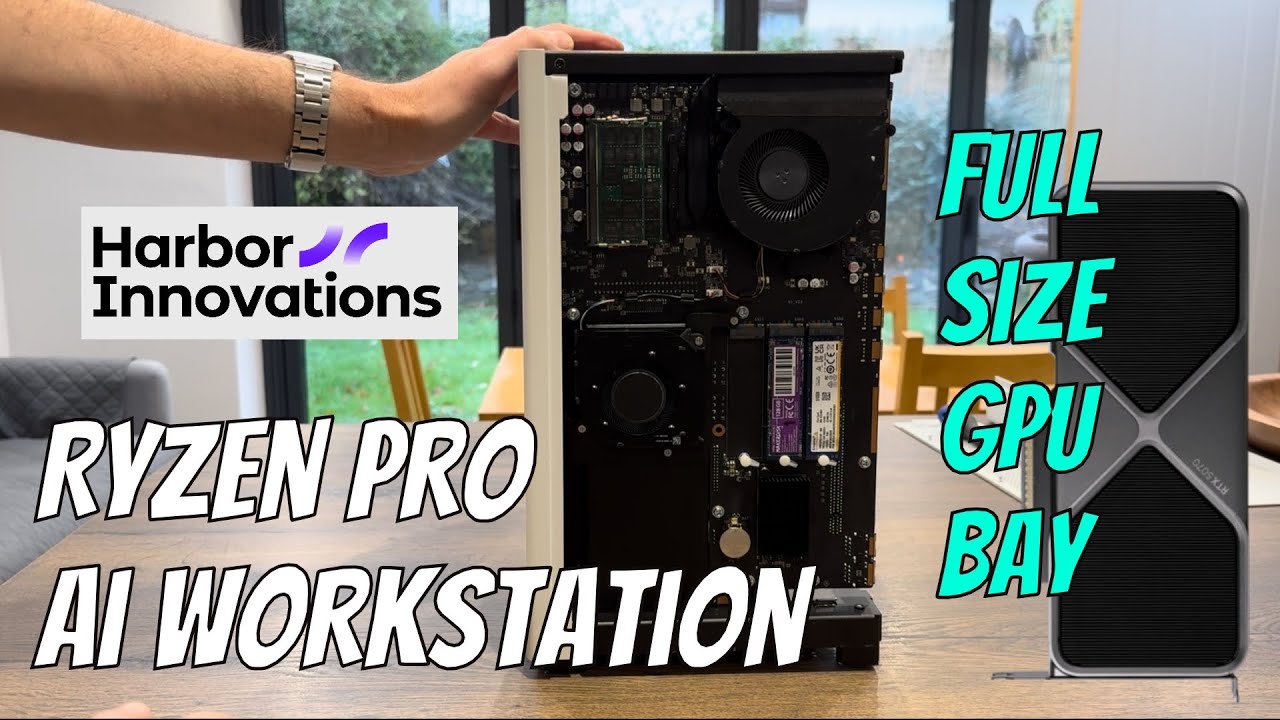
Nexus is built to run local AI faster and easier. Just add your graphics card.
Performance depends on the model, installed GPU, VRAM, and workload.

03 / 06
ECC Memory + ZFS File System
A dependable combination for accurate computation and resilient data storage, built for workloads where data integrity matters.
ECC memory helps detect and correct memory errors, while ZFS compatibility helps identify and protect against silent storage corruption, bit rot, and data inconsistency.

04 / 06
Your Entire Workflow, Connected and Instant
Four drives for your ocean of data. Three drives for your need for speed. The ultimate hybrid storage platform is here.
Keep raw footage, samples, and archives on high-capacity HDD storage, while active projects and applications run from high-speed SSDs.
With support for up to 132TB of tiered storage, your creative library can remain online and ready.

05 / 06
Equipped with a robust 800W internal PSU, Nexus provides substantial headroom for intensive AI workloads.
A dedicated 400W GPU power budget supports compatible full-size graphics cards during demanding local AI workloads.

06 / 06
Dual 10GbE Networking
Dual 10GbE networking turns Nexus AI Station into a high-speed data hub.
Transfer large datasets, power virtualized environments, and collaborate across multiple machines without waiting on a conventional network connection.

A rich set of expansion interfaces ensures Nexus AI Station adapts to new hardware, new workflows, and future demands without forcing early compromises.
Nexus AI Station is designed as a long-term platform, not a fixed appliance. Its high-bandwidth PCIe architecture supports far more than a graphics card, enabling high-speed networking, enterprise storage, and specialized accelerators as your needs grow.
As your workloads evolve, your system evolves with you.


Nexus AI Station |

AMD AI Max+ 395 |

NVIDIA DGX Spark |
|
|---|---|---|---|
| GPU Type | Full-size discrete GPU | Integrated GPU + NPU | Integrated NVIDIA GPU |
| Memory Design | Upgradeable DDR5 / ECC option | Unified memory | Unified memory |
| GPU Upgrade | Yes | No | No |
| Storage Expansion | Up to 132TB hybrid storage | Limited by system design | Limited by system design |
| Networking | Dual 10GbE | Depends on device | Depends on device |
| OS Flexibility | Harbor OS / Linux / Windows / Proxmox / TrueNAS | Vendor system | NVIDIA AI stack |
| Best For | Local AI + NAS + workstation | Low-power AI PC | NVIDIA AI development box |

Compute
Memory
Expansion/GPU card
Storage
I/O
Dimensions & Build
FAQ
Is this a NAS, a server, or a workstation?
Nexus AI Station combines local AI compute, massive storage, and high-speed networking in one desk-friendly system.
It delivers server-grade capability without the noise, complexity, or cloud dependency of traditional servers.
Do I need a GPU to get started?
No. Nexus AI Station works without a GPU and is fully functional out of the box.You can start with CPU-based workloads and storage, then add or upgrade a full-size GPU anytime when you’re ready for heavier AI tasks.
What kind of GPUs are supported?
Nexus AI Station supports full-length, full-height GPUs via a PCIe Gen4 slot.
This means you can use real desktop GPUs — not mobile or proprietary accelerators — and upgrade them as your AI needs grow.
Can I upgrade storage and memory later?
Yes. Nothing is fixed.You can add or replace:
●HDDs for more capacity
●NVMe SSDs for high-speed data access
●Memory as workloads grow
●GPUs and expansion cards over time
Nexus AI Station is built as a long-term platform, not a one-time configuration.
Is 132TB required, or just the maximum supported?
132TB is the maximum supported capacity, not a requirement.
You can start small and scale storage gradually.
The system is designed so you never have to redesign your setup as your data grows.
Is my data safe on a local system?
Yes — and in many cases, safer than the cloud.Nexus AI Station supports ECC memory and ZFS, helping detect and correct silent data corruption from memory to disk.
Your data stays local, under your control, Set up your own RAID array without mandatory cloud services.
What operating systems can I run?
You choose.Start with Harbor OS, or install:
● TrueNAS
● Unraid
● Proxmox
● Linux
● Windows
Run containers, virtual machines, or bare metal — no lock-in, no restrictions.
Is this system loud or power-hungry?
No. It’s designed for desk-side use.Nexus AI Station balances performance, airflow, and acoustics to deliver server-class capability in a quiet, compact form factor suitable for studios and offices.
Who is this product for?
● Nexus AI Station is built for:AI developers running models locally
● Creators managing large media libraries
● Engineers and teams who want full control of their data
● Anyone tired of juggling NAS boxes, GPU rigs, and cloud bills
If your work depends on performance, storage, and control — this system fits.
Why not just use the cloud?
The cloud is convenient — until it’s expensive, slow, or limiting.Nexus AI Station lets you:
● Run AI locally
● Keep all data on-prem
● Avoid usage limits and recurring fees
● Own your performance and infrastructure
● Build your own multimedia library and entertainment hub.
You pay once, and you’re in control.